

Process Design Suite
Accelerate process discovery and optimization with AI-powered design and process emulation.
Turn engineering ideas into structured fabrication flows that you and your teams can understand, refine, and build on. The FabuBlox Process Design Suite brings the software revolution to the nanofabrication world: standardized process language, dynamic process visualization, layer stack emulation, full process version control, and shared repositories in one highly accessible design space, with our agentic AI assistant supporting process discovery and optimization.
Git revolutionized software development. FabuBlox is bringing it to the nanofabrication world - with an inbuilt design and intelligence layer.
Features
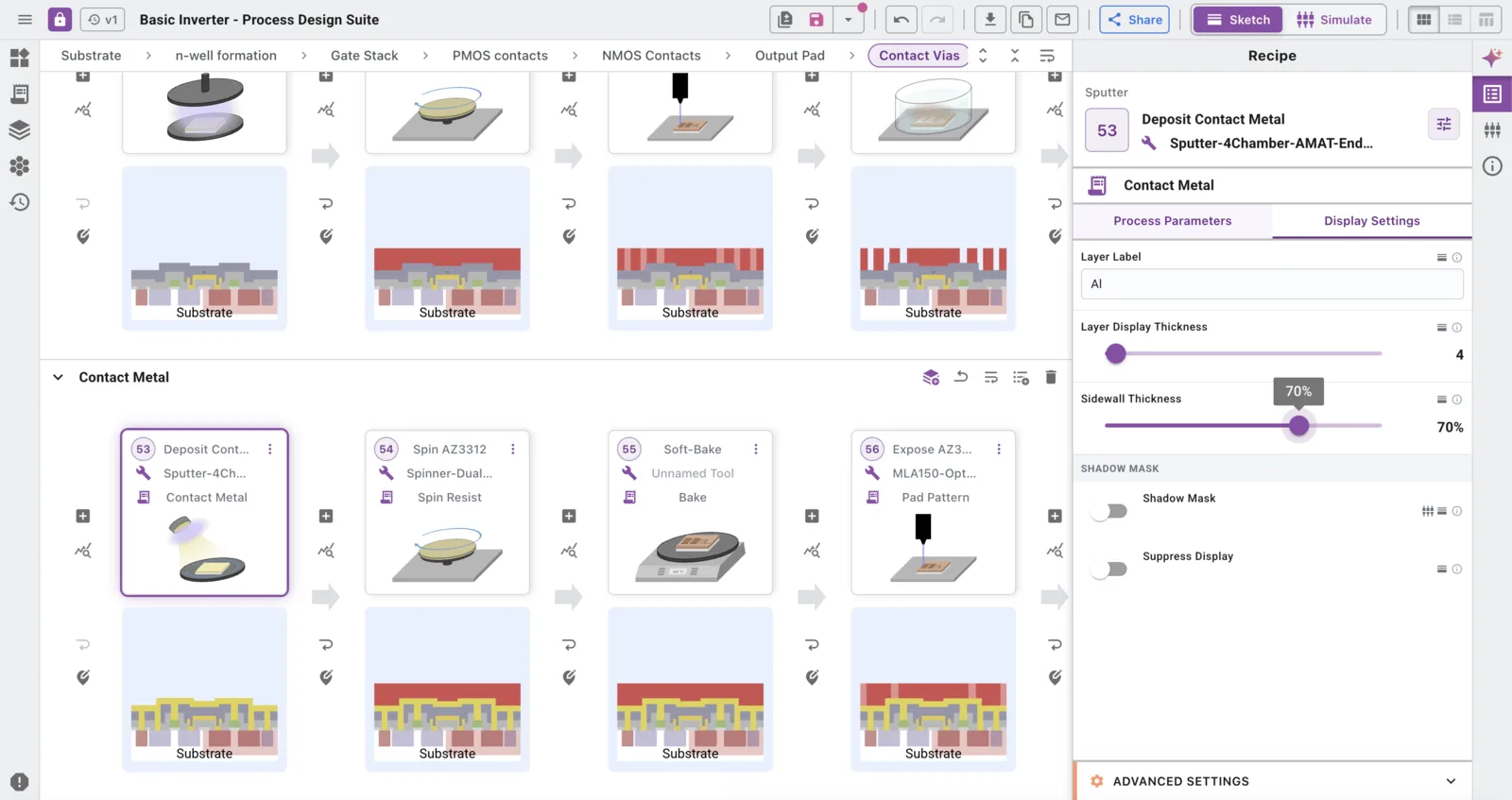
Dynamic process design visualization
See how your process shapes the device in real time.
Create and document process flows using standardized capabilities, with engineering parameters, materials, and intent connected to each step.
Cross-section sketches are generated automatically, making the evolving structure visible as you design. Every change updates in real time and propagates through the process, giving the whole team immediate visual feedback without hours in PowerPoint.
Layer stack emulation
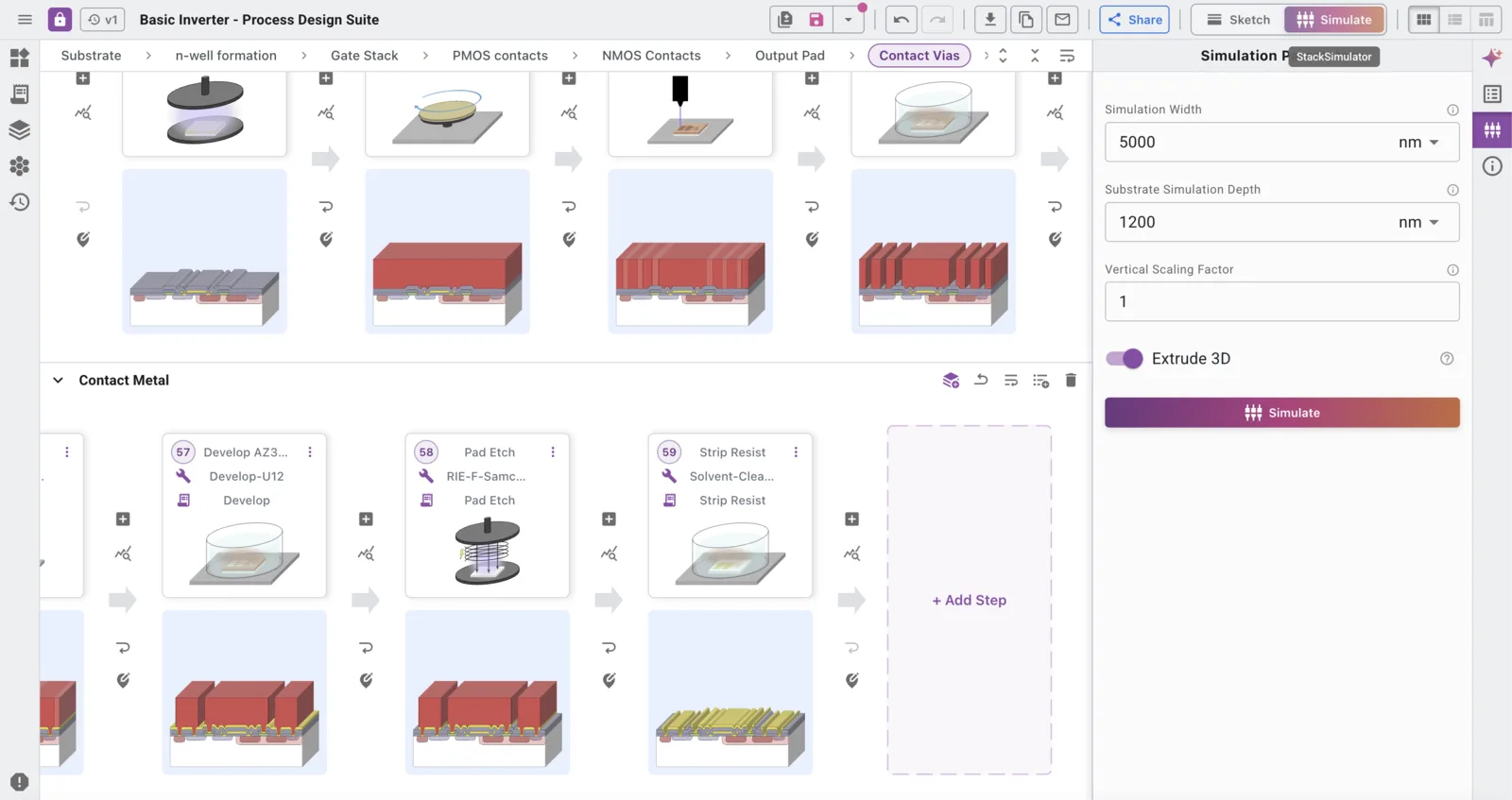
Explore device geometry to scale before fabrication.
Use our ray tracing algorithms to understand how a process flow transforms the layer stack, to scale. Uncover key insights on film coverage and sidewall profiles before getting into the fab.
Connect your process flow to your device layout with a selected cutline from your GDS file, and see how each fabrication step shapes your device as the design develops. With emulation parameters refined to reflect your tool state, our algorithms produce predictive profiles verified by SEM.
Automated process exports
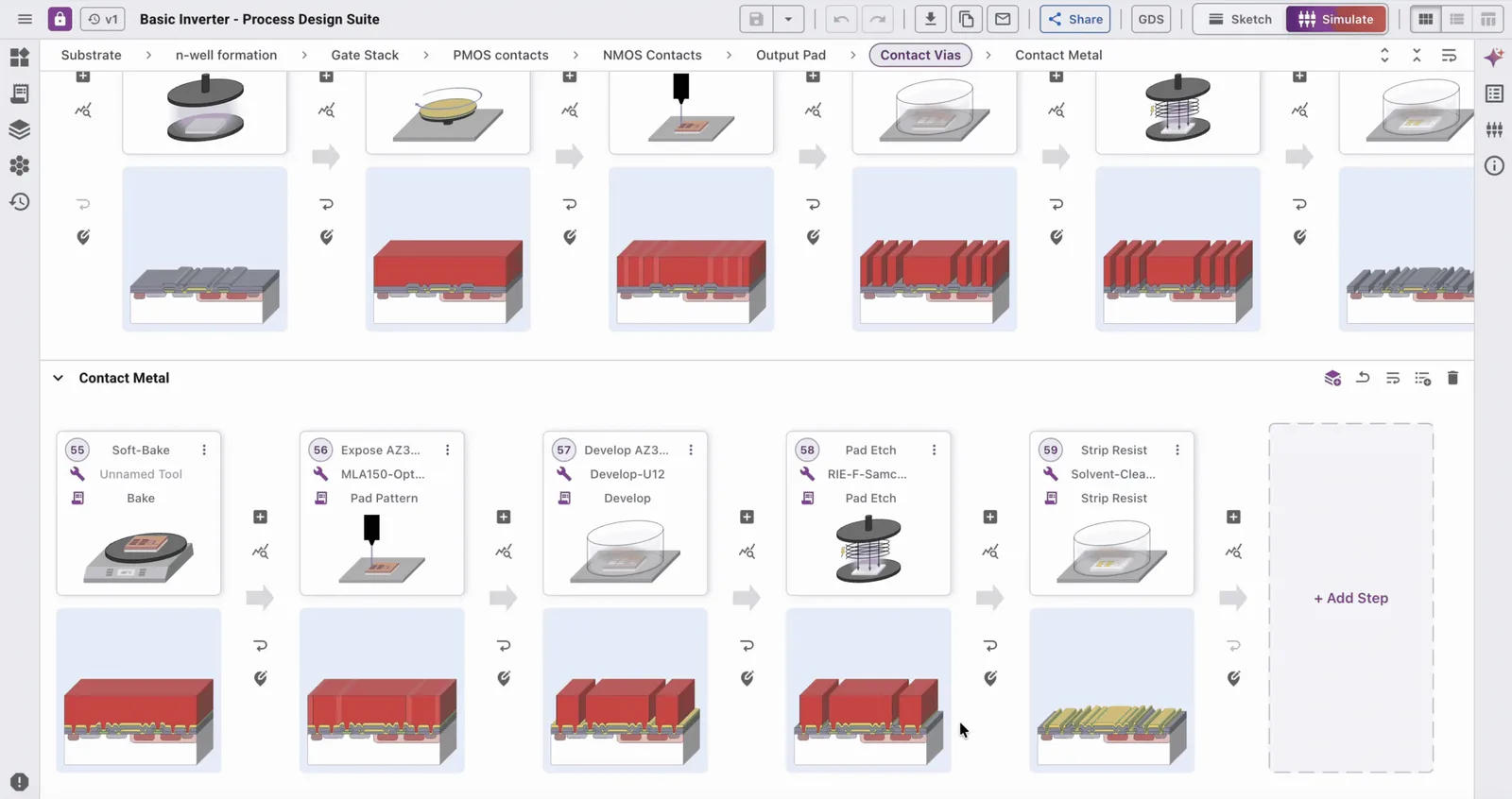
Don't spend time creating process documentation and layer stacks. FabuBlox generates document exports and figures for you.
Generate PowerPoint presentations, fabrication run sheets, and Word documents directly from your process flow. Export images of your emulated cross-sections, use them in your reports, and share them with your team.
Process version control
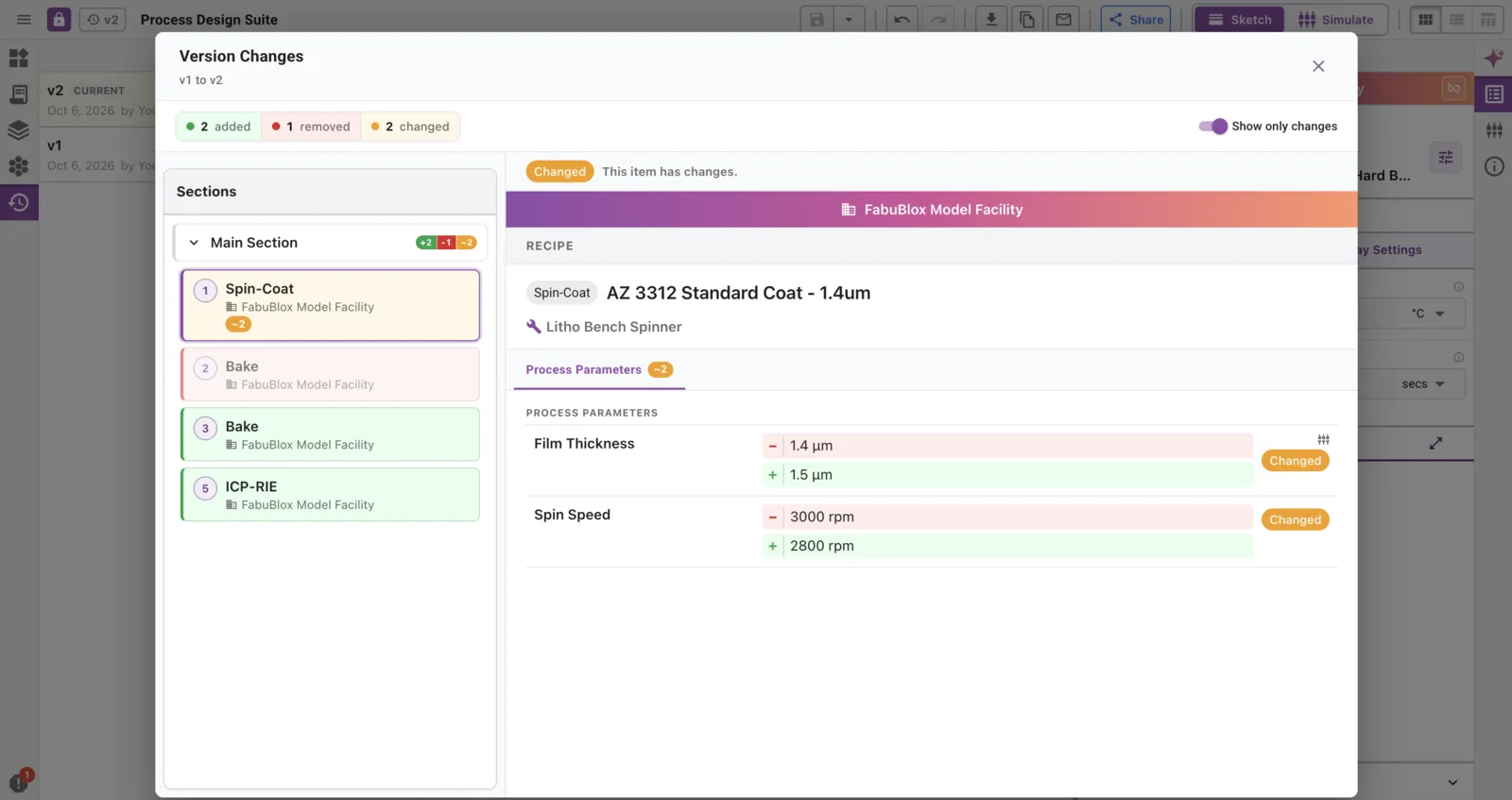
Keep the history behind every iteration.
Save, compare, and restore process versions as designs evolve. Track changes across steps and parameters so teams can revisit earlier approaches and understand how a process developed.
Teams preserve the engineering context and traceability needed for reproducibility, troubleshooting, and future adaptation.
Shared databases and repositories
Don’t reinvent the wheel: build traceable institutional process expertise as you grow.
Organize fabrication knowledge in shared process databases and repositories, so teams preserve process expertise across projects and team transitions.
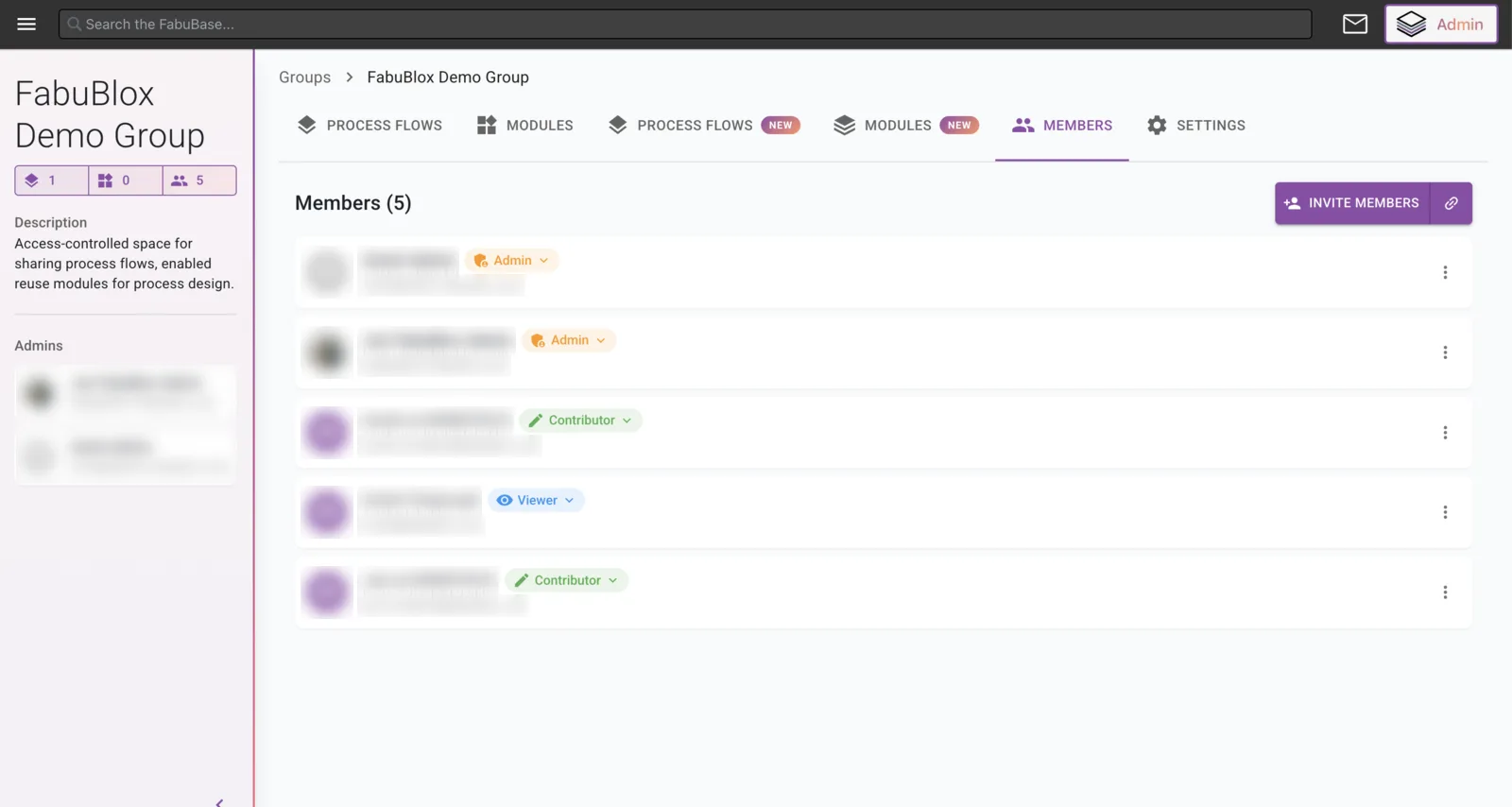
The Process Design Suite is entirely access-controlled. Keep your work private, share with selected collaborators, or develop within an organizational account. You control who can view and edit each process.
Agentic AI-driven process discovery
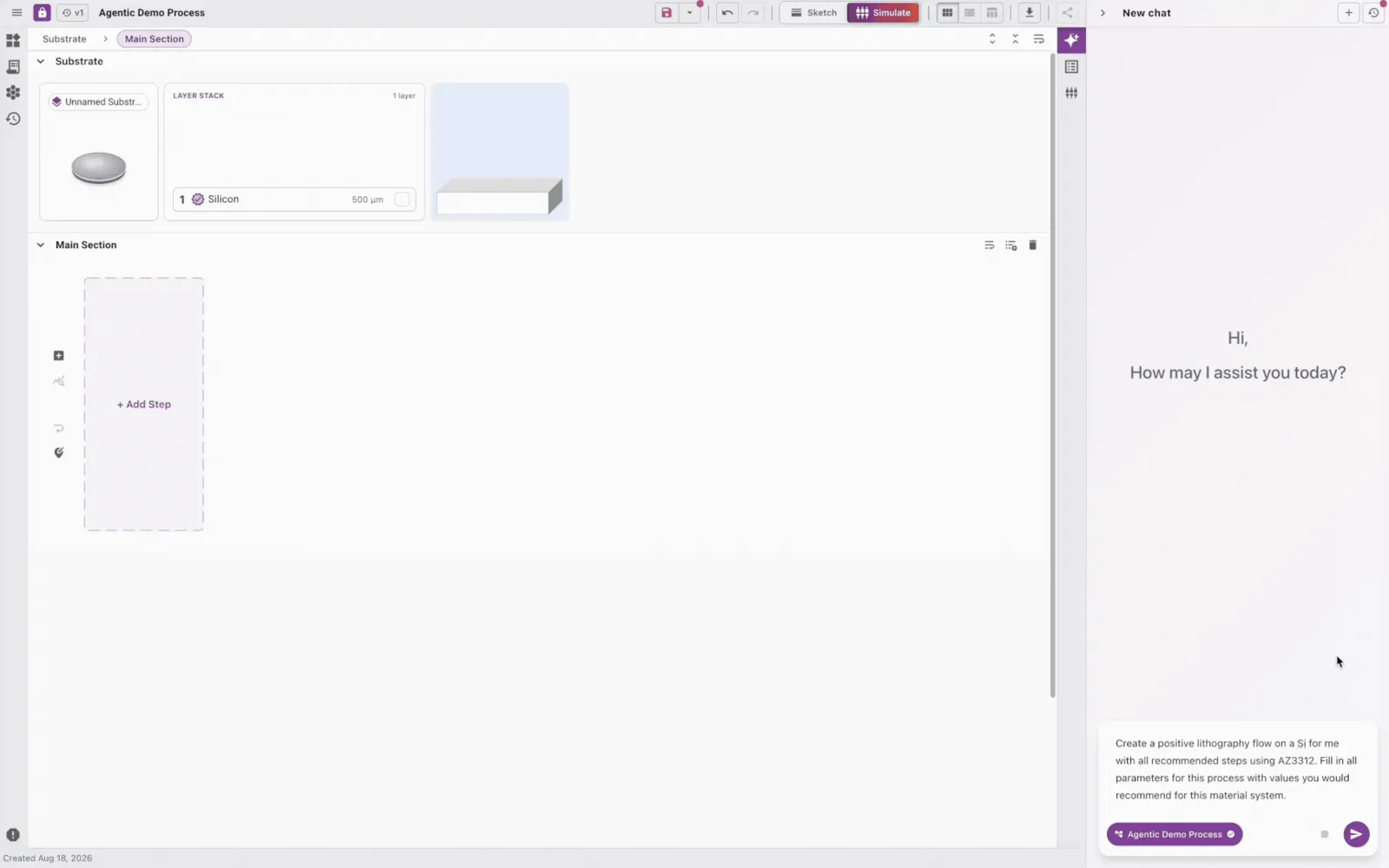
Describe your fabrication intent and work with FabAgents to build process flows, configure steps, and explore suitable tools and recipes.
FabAgents enable intelligent process discovery while keeping the human in the loop, so you can spend more time doing what counts.
The FabuBlox platform: Three unified layers driving closed-loop learning in your fab
Connect your process designs to the tool capabilities and recipes behind them in Facility OS, then manage wafer lots, track execution, and learn from outcomes in Fab Run Studio.
Start building in FabuBlox.
The FabuBlox Process Design Suite is open-access and free to use! Get started and build your first process flow by signing up below.